Contributors



Most Malaysian professional services firms face the same crossroads when it's time to rebuild their website: WordPress or Webflow? WordPress has been the default answer for 15 years. Webflow is newer, less familiar, and often dismissed as a niche tool for designers.
That framing is outdated. For a law firm, accounting practice, or consulting group in Malaysia that needs a website to build credibility and win clients, the platform choice has real business consequences. Here's what actually matters.
Platform debates usually focus on features. That's the wrong lens. For a professional services firm, the question is: which platform makes it easier to build and maintain a site that wins clients?
A professional services website isn't a content hub or an e-commerce store. It's a credibility asset. It needs to load fast, look credible, reflect the firm's positioning, and give your team the ability to update it without depending on a developer every time.
That's the frame. Every comparison below flows from it.
Webflow hosts all sites on a global CDN with built-in optimizations. You get fast load times by default. There's no plugin to install, no caching layer to configure, no hosting plan to upgrade.
WordPress is different. A WordPress website can be fast, but getting there requires deliberate effort: choosing the right hosting, configuring a caching plugin, optimizing images manually, and pruning plugin bloat. Most WordPress sites in Malaysia — including those built by agencies — don't do all of this. The result is slow pages that quietly cost you prospect trust before anyone reads a word.
Site speed isn't a technical metric. It's a conversion metric. A one-second delay in load time reduces conversions by 7%. For a professional services firm charging RM 50,000 per engagement, every lost prospect has real revenue attached to it.
WordPress powers 43% of the internet. That market share makes it a permanent target. Vulnerabilities come from outdated plugins, themes, and the WordPress core itself. A site that isn't actively maintained is a site that will eventually be compromised.
Maintaining a secure WordPress site requires someone — internally or via a retainer — to monitor updates, test compatibility after upgrades, and respond when something breaks. For a firm that isn't a tech company, this overhead is a distraction from actual work.
Webflow has no plugins to update. Security is handled at the platform level. The team at Webflow maintains the infrastructure; you maintain your content. For a Webflow agency Malaysia client, this translates directly to lower total cost of ownership and fewer fire drills.
WordPress themes set a ceiling on what your site can look like. Even premium themes limit layout options, force specific typography systems, and leave design fingerprints that experienced prospects recognize. The result: your site looks like thousands of other sites built on the same theme, regardless of how much customization was done.
Webflow has no templates in the same sense. Every element can be positioned, styled, and animated with precision. This is where the platform's advantage shows most clearly: a firm that wants to look different from its competitors can actually do that in Webflow. [INTERNAL LINK: FlowCreates portfolio page]
For professional services firms in Malaysia where the credibility gap between firms is often a design gap, this matters. The firm that looks different and credible in a prospect's first visit has a structural advantage before the pitch even starts.
Historically, WordPress had the content management edge. Its CMS is mature, well-documented, and familiar to most marketing managers. Webflow's CMS was seen as limited by comparison.
That gap has closed. Webflow CMS now handles multi-collection content structures, conditional visibility, and custom field types that cover most professional services use cases. Blog posts, team bios, case studies, service pages — all manageable without touching code.
The editing interface is cleaner than WordPress's, and content editors don't need to navigate theme settings or Gutenberg blocks. For a marketing manager updating the site on a Tuesday afternoon, the day-to-day experience in Webflow is noticeably better.
WordPress's plugin ecosystem is one of its most cited advantages. Need an SEO tool? There's a plugin. Need a contact form? There's a plugin. Need booking functionality? There's a plugin.
The same ecosystem is also one of its biggest liabilities. Plugins conflict. They break on updates. They introduce security vulnerabilities. They slow load times. A WordPress site built by three different developers over five years is often a patchwork of incompatible dependencies held together by inertia.
Webflow handles most core functionality natively. For anything else, modern integration tools connect Webflow to external services cleanly. The result is a more stable, predictable codebase. For a firm doing a WordPress to Webflow migration, the immediate benefit is often simply: the site stops breaking. [INTERNAL LINK: WordPress to Webflow migration service]
WordPress made sense when Webflow didn't exist. It remains a viable platform for large content operations and highly custom applications. But for most professional services firms in Malaysia — law firms, accounting practices, consulting groups, boutique finance — the choice calculus has shifted.
Webflow gives you faster pages, lower maintenance overhead, better design control, and a more stable long-term codebase. The tradeoffs are a steeper initial learning curve and a smaller pool of local freelancers. Both are manageable when you work with an agency that builds exclusively in Webflow.
The platform doesn't win clients. Your positioning, your design, and the clarity of your message do. But the platform can undermine all three if it's slow, unstable, or visually indistinguishable from every other firm in your category.
For firms that need their website to work as hard as they do, Webflow is the better starting point in 2026.
If your current site is built on WordPress and it's performing well — fast, secure, generating leads — there's no urgent reason to migrate. But if you're planning a rebuild, or if your existing site is slow, neglected, or no longer reflecting your firm's positioning, the migration conversation is worth having.
A good Webflow build done right takes time and costs more upfront than a WordPress site. It also requires less ongoing maintenance, fewer emergency fixes, and produces better business outcomes when the design is done strategically rather than templated.
The firms that win clients before the first meeting aren't the ones who chose the cheapest platform. They're the ones who treated the website as a business asset worth investing in.

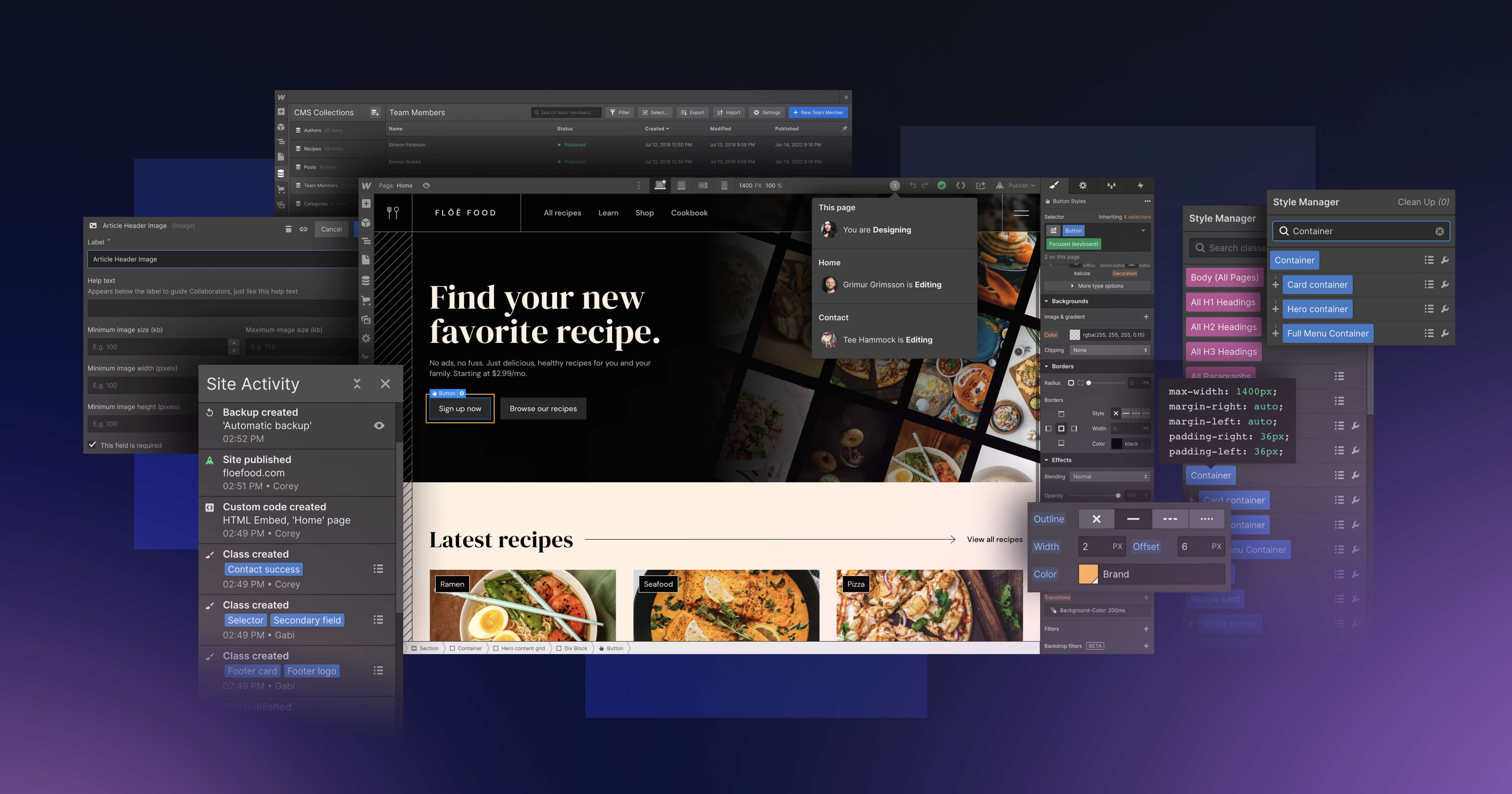
We build Webflow websites for professional services firms and take on a small number of projects at a time. Join the waiting list and we will be in touch to scope yours.
Join the waiting list